


CoComelon: Learn ABCs and 123s
4.2123.00 Reviews
App Specs
- Version
- 3.2.7
- Updated On
- License
- Free
- Downloads
- 5,000,000+
- Developer
- Moonbug Entertainment Limited
- Categories
- Educational
- Platform
- Android, iOS
Screenshots
 Analysis by AppCompare
At our place, a learning game is most useful when a child can pick it up for a few minutes without turning the whole household routine upside down. CoComelon: Learn ABCs and 123s is built around familiar songs, characters, and early letter-and-number activities, so it can make a short wait or a quiet stretch feel purposeful. I’d treat it as a playful extra rather than a substitute for talking, reading, drawing, or hands-on play; that distinction matters when choosing any screen activity for a preschooler.
A shared-device moment that makes sense
Picture a child waiting while a parent finishes getting dinner ready, or sitting with a relative during a brief visit. This game can give that moment a gentle learning focus: a familiar tune may invite a child to sing along, while a tracing activity offers something to do with their hands on screen. I like that these are small, approachable activities rather than a promise of a long lesson. For a young child, a few minutes of attention followed by a real-world conversation—“Which letter did you see?”—can be a more sensible use than leaving the game running unattended.
On a shared phone or tablet, I’d make the handoff deliberate. An adult can open the game, check that the child is in the intended activity, and keep the device nearby. That is not a claim about a special family mode; it is simply a practical routine for any app used by more than one person. It also helps avoid a familiar household mix-up: one person’s entertainment or settings being interrupted when the device is passed to a preschooler.
Set expectations before handing over the screen
The game is aimed at children from two to five, a broad age range in which attention, language, and fine-motor skills can differ a lot. A two-year-old may enjoy the characters and music without being ready to trace carefully, while an older preschooler may want to repeat letters or numbers and feel more independent. I would let the child’s response guide the length of a session instead of expecting every activity to work equally well for every age.
One useful boundary is to decide what the app is for before opening it. If the goal is a quick sing-along, stay with the music; if the child wants to practise tracing, sit close enough to help with finger placement and celebrate effort rather than neatness. This keeps the experience from becoming an open-ended screen break with no clear stopping point. It also gives adults a natural cue to move from the screen to a related activity, such as spotting a letter on a book cover or counting a few objects nearby.
The game is free to start, but it includes in-app purchases priced from $0.49 to $39.99 per item. With a young child using a shared device, I would review purchase access and device settings before handing it over, and explain that any buying decision belongs to the adult. That is a sensible precaution, not a reason to assume the game has a particular purchase-blocking feature. If you want a completely purchase-free experience, check the available options on your device before making it part of a daily routine.
Coordinating between caregivers
When more than one adult looks after a child, consistency is often more useful than trying to turn an educational game into a formal lesson plan. A parent, grandparent, or babysitter can agree on a simple pattern: choose one short activity, join in, then put the device away when the child is ready to move on. The songs and familiar characters make it easier for different caregivers to share the moment without needing to invent a new activity each time.
Worth Reading Before You Choose

EA SPORTS FC Mobile 26 Is a Bigger Football Game, but It Takes Time

Flipboard Shows What News Apps Must Do Beyond the Feed

Switching to Android Auto Means Rethinking Your Driving Routine

Google Calendar Makes a Crowded Week Easier to Manage

Ludo King Makes the Most of the Minutes Between Plans

Baby Panda World Brings Quick Play to Modern Phones, but Its Game Library Feels Busy
I would also keep expectations modest when adults take turns. A child may repeat the same song or revisit an activity instead of progressing in a tidy sequence. That repetition can be part of how young children engage, but it does not automatically show that they have mastered a letter or number. Ask the child to point to or say what they remember outside the app; that gives a more meaningful glimpse of whether an idea is sticking than simply watching them tap through a screen.
Where it fits among preschool options
Compared with a general video app, this game gives a child something interactive to do with letters and numbers rather than only watching a clip. Compared with a physical alphabet book, it adds movement, sound, and familiar animated characters, but it cannot offer the same shared page-turning or tactile practice. I see it as sitting between those choices: more hands-on than passive viewing, less grounded in the physical world than a book, toy, or conversation.
That middle ground is a real strength for a child who responds well to music and recognizable characters. It may be less suitable for a child who gets overstimulated by animation, prefers quieter activities, or needs an adult to guide every tap. In those cases, a paper book, blocks, or counting objects together may be the better choice. The app works best when its digital energy supports an adult-child interaction rather than replacing one.
If you are choosing it for a preschooler who already loves CoComelon, the familiarity may help them settle into the activities quickly. If the child does not know the characters, the learning appeal still rests on the letters, numbers, songs, and interactive play, so I would judge it by whether they enjoy those parts rather than assuming the brand alone will hold their attention. It is an educational game, not a broad collection of unrelated play modes, so it makes most sense when early literacy and number exposure are the goal.
For context, Moonbug Entertainment Limited develops the game. It is rated for Everyone, has a 4.1 average from around 16,000 ratings, and has passed one million installs. Those figures suggest that many families have tried it, but I would not treat popularity as a guarantee that it will suit a particular child. The useful test is still whether the child can engage with it calmly and whether an adult can fit it into the household’s screen-time boundaries.
The release date is August 13, 2024, and the current version is 3.0.0. It requires Android 8.0 or later. Those details are worth checking when deciding whether an older shared device can run it; a game that fits one family’s tablet may not fit another’s. The practical choice is to confirm compatibility on the device you plan to use, especially if it is kept for children rather than replaced often.
My strongest recommendation is to treat the app as a prompt, not a teacher that works on its own. Sing together, help with tracing when needed, and connect a letter or number to something the child can see away from the screen. That small habit makes the activity feel less isolated and gives caregivers a chance to notice whether the child is curious, frustrated, or ready to stop. It also prevents the common mistake of measuring value only by how long a game keeps a child occupied.
If a caregiver needs a quiet activity during a short transition, or wants a familiar way to introduce early letters and numbers, this is a reasonable option to try. If the priority is deep, individualized instruction, a calmer screen experience, or learning that does not involve purchases, I would compare it with books, offline play, or a different educational app before settling on it. Its best role is a short, supervised part of a varied preschool routine—not the routine itself.
If you've got little ones at home, you know how important it is to find that perfect app that not only keeps them entertained but also helps them learn something new. That's where this game comes in. I recently gave it a whirl, and let me tell you, it was quite the experience!
First Impressions
When you first open it, you're greeted with vibrant colors and cheerful animations that instantly capture a child’s attention. It's like stepping into a digital wonderland where learning feels like a fun game. The interface is super user-friendly, which means even the youngest users can navigate through it with ease.
Engaging Features
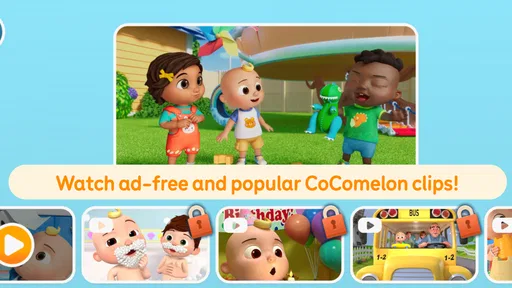
What makes this app stand out is its engaging features. From catchy songs to interactive activities, it's designed to make learning letters and numbers a blast. The app uses popular CoComelon characters that kids already know and love, which adds a layer of familiarity and excitement. Each activity is short and sweet, ensuring that kids stay engaged without losing interest.
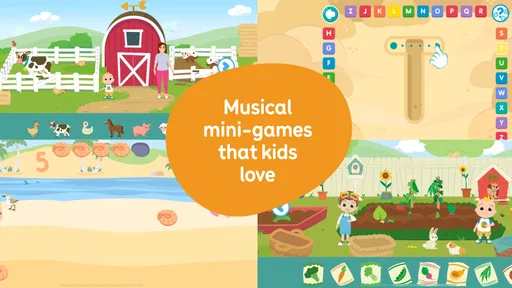
One of the highlights is the sing-along section. The tunes are not only educational but also insanely catchy. I found myself humming along to the ABC song long after I'd put my phone down. The repetition in these songs helps reinforce learning, making it easier for kids to remember both letters and numbers.
Learning and Fun Combined
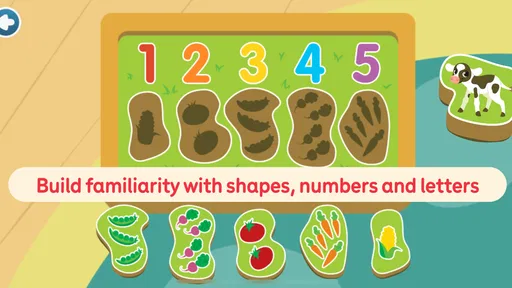
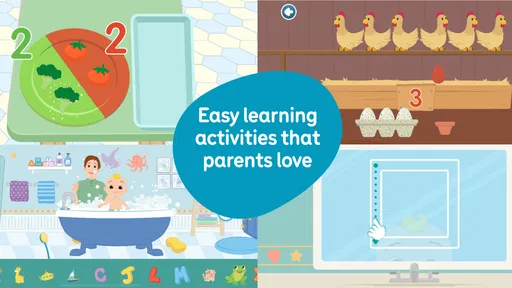
The app cleverly combines education with entertainment. Kids can trace letters and numbers, which helps with motor skills development. Plus, there's a reward system that encourages progress. Each time a task is completed, kids receive virtual stickers, which adds an element of fun and achievement.
Another neat feature is the parental control settings. Parents can customize learning goals and monitor progress, making it easy to see how their child is doing. This feature is a lifesaver for busy parents who want to ensure their kids are getting the most out of screen time.
Room for Improvement
As much as I enjoyed the app, there are a couple of things that could be improved. For instance, while the songs and animations are delightful, they could add more variety to keep things fresh. Also, expanding on diversity in characters and themes would be a great step forward.
Some users might find the in-app purchases a bit intrusive, especially when kids accidentally click on them. It would be nice to see a more seamless experience without these interruptions.
All in all, this is a fantastic app for young learners. It successfully combines education with entertainment, keeping kids engaged while they learn essential skills. It's a valuable tool for any parent looking to make learning fun and interactive for their little ones. So, if you’re on the hunt for an app that’s both educational and entertaining, this one’s definitely worth checking out!
Pros
- Engaging animations captivate young learners.
- User-friendly interface for toddlers.
- Features educational songs and activities.
- Regular updates with new content.
- Supports offline play
- ideal for travel.
Cons
- Limited content available in free version.
- In-app purchases might add up.
- Requires parental guidance for app setup.
- Occasional app crashes reported.
- May not hold older kids' interest.
FAQs for CoComelon: Learn ABCs and 123s
What is CoComelon: Learn ABCs and 123s about?
CoComelon: Learn ABCs and 123s is an educational app designed to help young children learn the basics of the alphabet and numbers through engaging activities and interactive games. The app features colorful animations and popular CoComelon characters that keep kids entertained while they learn foundational literacy and numeracy skills.
Is CoComelon: Learn ABCs and 123s suitable for all ages?
This app is primarily targeted at preschool-aged children, typically ages 2 to 5. It focuses on early educational concepts such as letter recognition and basic counting. Parents of older children might find it too simplistic, but it serves as an excellent tool for young learners who are just beginning to explore these concepts.
Does CoComelon: Learn ABCs and 123s require an internet connection?
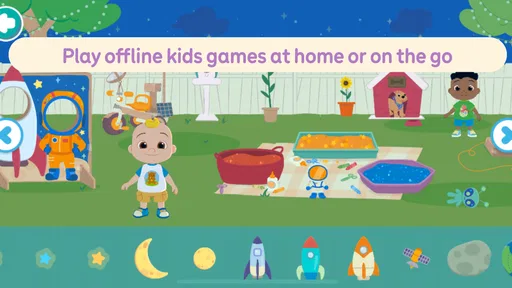
The app can be used without an internet connection once it is fully downloaded and installed. However, some features or updates might require internet access to function correctly. This makes it convenient for use during travel or in areas with limited connectivity, ensuring uninterrupted learning for children.
Are there in-app purchases or ads in CoComelon: Learn ABCs and 123s?
CoComelon: Learn ABCs and 123s offers a child-friendly environment with minimal distractions. While the app may include in-app purchases to unlock additional content or features, it is designed to be as ad-free as possible to provide a seamless and safe learning experience for young users.
Can multiple children use CoComelon: Learn ABCs and 123s on the same device?
Yes, multiple children can use the app on the same device. However, the app does not support individual profiles, so progress and settings will be shared. Parents might need to supervise or assist their children to ensure each child gets personalized use and learning from the app.


